Service request tracker: copy, update & reopen
Give a small internal team one place to see a request, its owner and its next status. Start with three example rows and check one saved update before adding more workflow.
Three requests, four columns
Fictional practice rows. Due dates are blank so you can choose your own.
Copy or download without an account or email. Start a new workbook to try the exercise.
Manual copy option
| Request | Owner | Status | Due |
|---|---|---|---|
| REQ-001: Estimate | Example A | New | — |
| REQ-002: Visit | Example B | In progress | — |
| REQ-003: Handover | Example A | Waiting | — |
Create an owned blank workbook, select A1 and paste the rows. AppStruct requires an account and applicable access. The CSV also works in another spreadsheet.
See the completed example
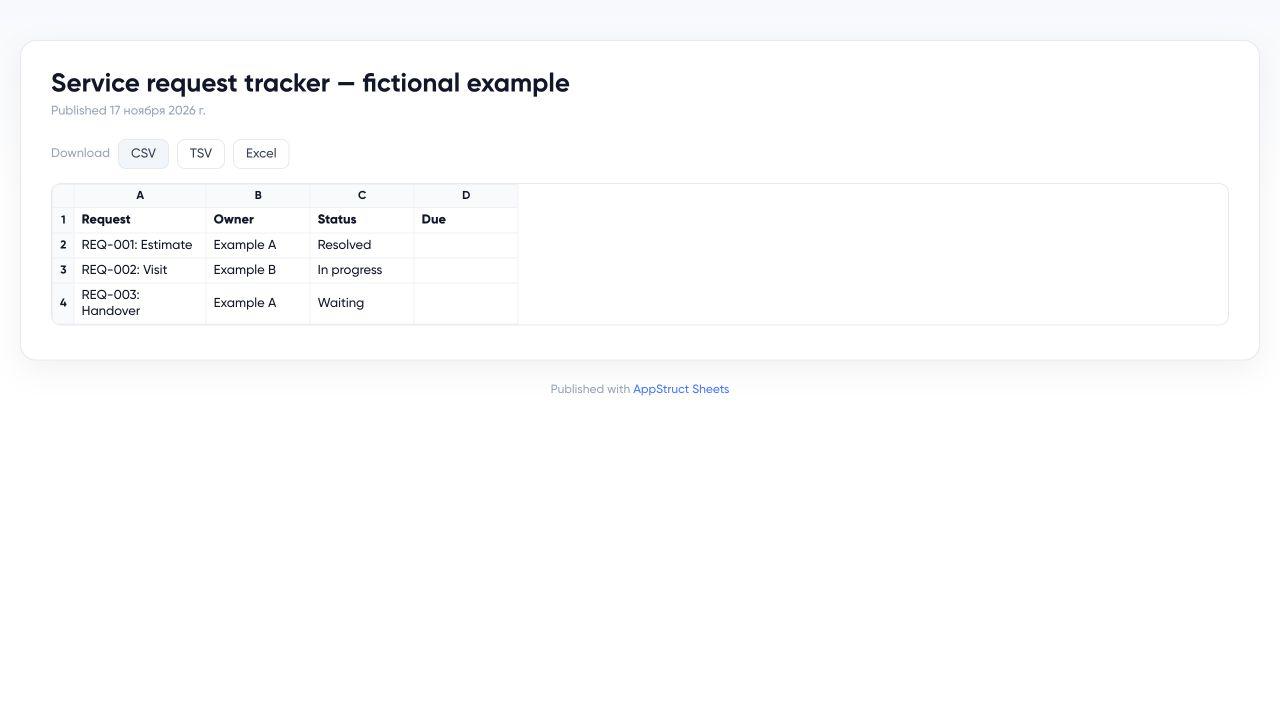
The published AppStruct Sheets example has REQ-001 marked Resolved. REQ-002 stays In progress and REQ-003 stays Waiting. It is a separate read-only workbook.
View the completed Sheets exampleTry one saved status change
- Copy the starter rows above. In AppStruct Sheets, create a new blank spreadsheet and paste at A1, or use Import with the CSV.
- Change REQ-001’s Status cell, C2, from New to Resolved. Leave the other rows and due dates unchanged.
- Wait for saving to finish, close the editor and reopen the workbook. Find the same request and check its saved status.
- Confirm REQ-002 still says In progress and REQ-003 still says Waiting. If you sort or insert rows, locate the request again before changing a cell address.
The starter rows and CSV keep REQ-001 as New. The published example below shows the completed exercise. Changing your own copy does not change that public example.
Adapt it to your team
Replace the example owners and request labels, add due dates and agree on what each status means. The REQ labels identify this teaching exercise; they are not App Builder database IDs. The worksheet does not send reminders, collect customer submissions or enforce a dispatch process.
For customer forms and a separate staff queue, follow the service-request app walkthrough. It covers saved records, data connections and publishing checks in App Builder.
The small-business guide compares a shared internal tracker with a dedicated app. Both exercises need their own configured access rules before using actual customer data.